
An access point’s maximum client count is a useful specification. It becomes much less useful when someone divides the office headcount by it and calls the result a design.
The buying question is more specific: how many of your devices can do their work, in the busiest part of your building, at the same time? That answer depends on the workload and the radio environment. A hundred quiet phones and a hundred laptops uploading files are very different meetings for an AP to chair.
Here is how to turn a vague device count into a capacity brief an engineer can use.
Keep three counts separate
Start with people present, devices associated and devices actively exchanging traffic. They are related, but they are not interchangeable.
One person might bring a laptop and a phone. A connected device might be mostly idle. Another might be sending a continuous video stream. Record those assumptions instead of choosing a convenient devices-per-person multiplier and letting it disappear into the spreadsheet.
HPE Aruba Networking’s capacity guidance distinguishes hardware association limits from design targets and cautions that rough AP-count calculations do not guarantee a high-performance WLAN. Treat the maximum as a constraint to check, rather than a comfortable operating target.
For an existing network, request time-aligned observations where available. A daily peak client count and a daily peak traffic rate may have occurred hours apart. Combining them without context can invent a busy hour that never happened.
Describe the busiest useful scenario
Work through each materially different area: training room, shared office, loading area or guest space. Ask what happens when it is busy, not just how many chairs fit.
A useful scenario statement identifies the location, simultaneous devices, application activity and acceptable experience. For example: a training session where attendees download the exercise together, then work locally. The initial burst and the rest of the session deserve separate consideration.
Ask the application owner whether success means completing a transfer within a defined time, maintaining a call, or responding promptly to a transaction. Those outcomes lead to different tests. Avoid reducing every requirement to a single average Mbps figure because it fits neatly in a table.
Use application guidance, not folklore
Consult the current requirements for the applications actually in use. Microsoft’s Teams network guidance separates audio, video and screen-sharing needs and provides network-planning guidance. A voice call and a meeting with video are not interchangeable workloads merely because both use the same application icon.
Specify upload and download needs, expected concurrency and the relevant quality target. Explain whether a figure is a vendor recommendation, a measured observation or a planning assumption. Record the date and application version where relevant so the next reviewer knows what the number meant.
An internet speed-test result from an empty room cannot establish how the room behaves during a full session. Keep it as one observation, not the capacity certificate.
Do the arithmetic, then keep engineering
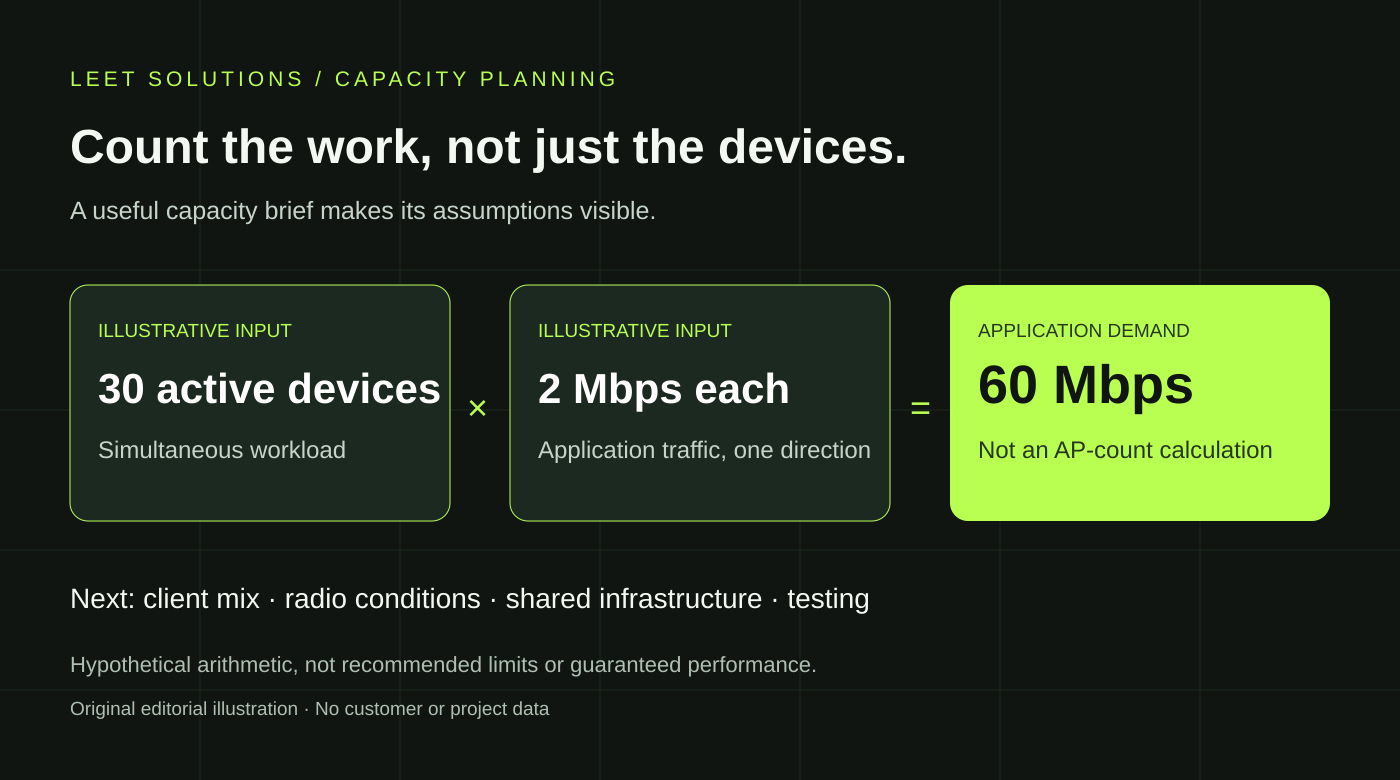
Consider a deliberately simplified example: 30 simultaneously active devices, each needing 2 Mbps of application traffic in one direction, imply 60 Mbps of aggregate application demand in that direction.
Those are invented example inputs, not recommended device counts or bandwidth allowances. The multiplication estimates offered demand. It does not determine AP count, account for protocol overhead, describe airtime consumption or prove that 60 Mbps will be available everywhere in the room.
Changing the assumption to 60 active devices doubles that demand. This simple comparison is useful because it makes the consequence of an uncertain input visible. Ask for a likely scenario and a credible busy scenario instead of presenting one fragile number with three decimal places.
Include the devices that will actually connect
An AP’s capabilities do not turn every client into its newest, fastest test partner. Inventory representative device models, supported bands and relevant radio capabilities. Flag specialist or older equipment that must remain.
Cisco Meraki’s client-capacity guidance identifies client capabilities, applications, throughput needs and available backhaul among the practical constraints. Its theoretical maximum counts are explicitly not the numbers to design toward.
Ask how the proposed design serves the actual client mix. Do not assume that every device can use an added band or that clients distribute themselves evenly across radios. A capacity explanation should make those dependencies visible before equipment is ordered.
Follow the traffic beyond the ceiling
The application path continues through switching and, depending on the design, gateways, controllers, firewalls and internet connectivity. Identify which shared components carry the busy scenario and which team owns their capacity assessment.
Cisco’s large-public-network design guide warns that controller platform maximums are not necessarily achievable simultaneously under all conditions. Its venue-specific configurations are not a template for every office, but the purchasing lesson travels well: check the workload and enabled features behind a published maximum.
Ask what remains usable during the agreed failure scenario, too. Normal operation and degraded operation should have clearly identified expectations rather than sharing one optimistic total.
Buy a testable answer
A useful capacity proposal should state the assumed client mix, busy scenarios, application requirements, design limitations and validation approach. It should also explain what new evidence could change the recommendation. That is more valuable than a universal “users per AP” rule with excellent confidence and no supporting context.
Leet Solutions provides predictive Wi-Fi design and independent engineering review. Active and roaming testing requires a separately agreed scope. Start with the area, workload and decision you need to make; share authorized project material through an agreed transfer method.
Discuss your capacity requirements, or use our independent QA/QC guide to define what a review should deliver. The goal is a defensible plan for real work, not a contest to see how many devices can appear on a dashboard.