
“We will use 80 MHz channels for maximum performance” sounds reassuring in a Wi-Fi proposal. It is also missing the part where the designer explains who shares the air.
A wider channel can support higher data rates under suitable conditions. It also occupies more spectrum. In a building with many neighboring radios, the best result for one laptop beside one AP may be a poor guide to the experience of everyone else.
For an owner, MSP or project manager reviewing an enterprise WLAN design, channel width deserves an explanation tied to the site. A larger number in a configuration screenshot is not an acceptance test.
Width spends a finite resource
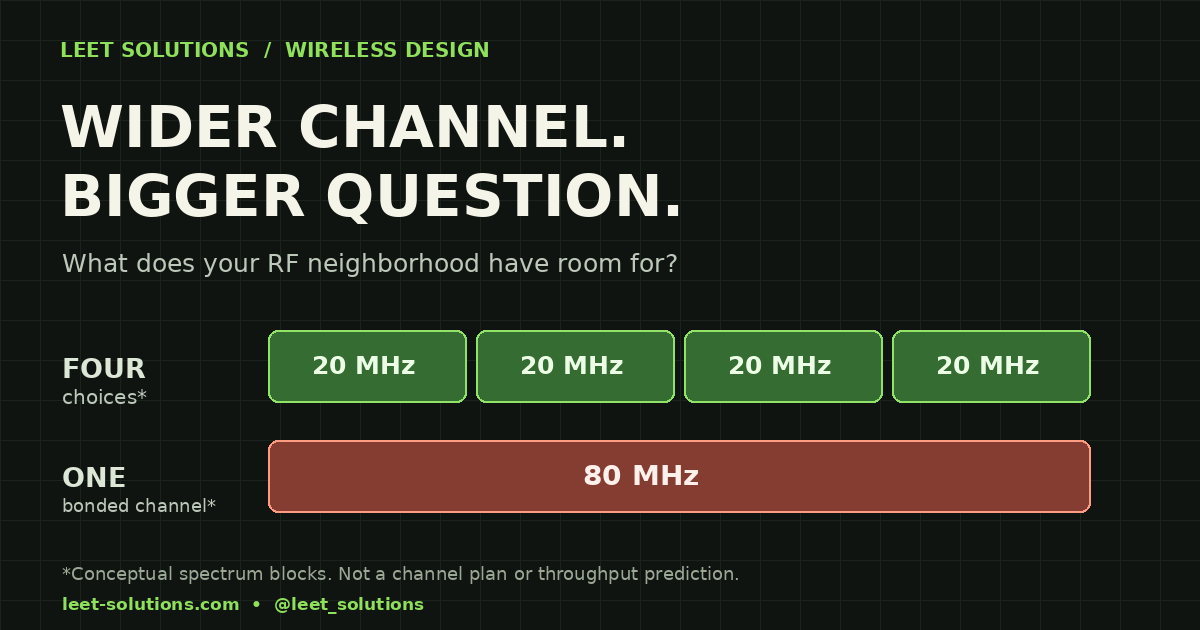
Think of channel width as the amount of spectrum a transmission can use, not a label for how fast every application will run. A conventional 40 MHz channel combines two 20 MHz channels; 80 MHz combines four. Those pieces are no longer four independent, non-overlapping 20 MHz choices for that allocation.
Cisco Meraki's RRM guidance connects this tradeoff to the surrounding RF neighborhood: radios sharing a channel compete for airtime. Its automatic-width behavior considers demand, client capabilities and co-channel conditions. That is a useful reminder that the network around an AP matters as much as the AP's maximum specification.
The illustration here is conceptual. Four adjacent blocks explain bonding; they are not a regulatory channel plan or a promise of four times the usable capacity.
Ask which problem the wider channel solves
Start with the application and the busiest relevant area. Does the project need sustained large-file transfers, many interactive sessions, roaming voice devices, or some combination? How many devices will be active at the same time, and what do those devices actually support?
A proposal should explain why its width helps those requirements. “The AP supports it” is a hardware fact. It does not answer whether the local spectrum, client mix and expected load make the choice sensible.
Cisco and Apple's enterprise WLAN guidance illustrates the distinction with 40 MHz for throughput-oriented environments and 20 MHz for high AP/client density. That guide concerns Apple devices on Cisco WLANs and focuses on 5 GHz. Treat it as scoped design guidance, not a universal command to configure every building identically.
Request the actual channel budget
Ask the designer to show the usable channels for the site's country, band, AP models and intended operating mode. Then ask what remains after project-specific restrictions. A chart copied from another country or a different band can make a plan look much more spacious than it is.
Include neighboring networks and the physical relationship between APs. Two radios separated on a drawing may still hear each other across an atrium or through a floor. Conversely, a useful model should not assume that every AP on the same channel everywhere in the building belongs to one identical contention neighborhood.
DFS policy needs its own rationale. Radar detection can require a channel change, but excluding DFS channels also reduces the available choices. Record the actual device compatibility, operational concerns and observed events rather than applying a blanket exclusion by habit. Do not change regulatory settings to manufacture more channels.
Give automatic RF management boundaries
Automatic channel selection is valuable. It still operates inside the channels, widths and policies the design permits. “Auto” should therefore come with documented bounds and a way to review the result.
The Catalyst 9800 configuration guide describes width options and limiting the maximum width used by its Best setting. It notes that high-density or industrial deployments may need 20 MHz. These are platform-specific controls; verify the current software and configuration model instead of translating a screenshot into another vendor's settings by guesswork.
A useful handover identifies the applicable RF profile, allowed channels, width bounds, exceptions and who owns future changes. It also explains which measurements would trigger a review. A network that quietly drifts away from the design should not require archaeological work to diagnose.
Compare the busy room, not just the speed-test champion
Define validation before deployment. Include representative clients, realistic concurrent activity, the relevant locations and the application outcomes that matter. Check the wired path and test endpoint so they do not become unexplained bottlenecks in a radio comparison.
Record channel utilization, retries and application behavior alongside throughput where those measurements are available and appropriate. Compare like with like: client model, location, traffic, time window and relevant configuration. Do not promise a universal latency or throughput improvement from changing one setting.
Put the agreed method and pass criteria in the acceptance plan. A passive survey can describe RF conditions; it does not by itself prove every application's performance under load. Active or roaming validation needs an explicitly agreed scope.
Five questions worth putting in the review
- Which application requirement justifies the proposed width?
- What usable channel set and neighboring RF conditions support it?
- Which representative clients can benefit, and which cannot?
- What automatic-management bounds and exceptions will be handed over?
- What repeatable evidence will show the design works when the space is busy?
Leet Solutions offers predictive design and independent engineering review to make these decisions traceable. Start with a general project overview, the intended users and the decision you need checked. Keep restricted drawings and credentials out of an initial inquiry.
Buy the design that can explain its choices. The biggest channel number can look impressive without doing any useful work.
Primary technical sources checked November 5, 2026. Apply platform guidance within its stated scope and the site’s regulatory requirements.