
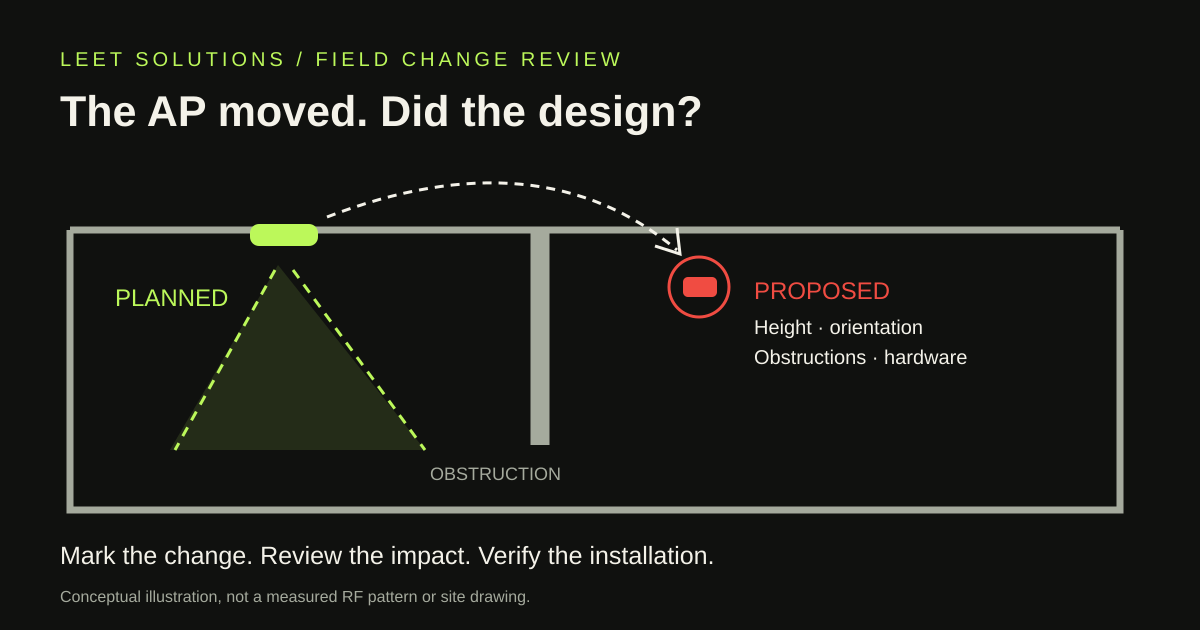
The installer finds a duct where the drawing shows an access point. The proposed fix sounds harmless: move the AP a little, turn it sideways, and keep the job moving.
Sometimes that is a perfectly sensible change. Sometimes it puts a directional antenna across the aisle from the people it was meant to serve. The difference deserves an engineering decision before the ladder disappears.
For owners, project managers and installation partners, the useful question is simple: what changed between the modeled installation and the actual one, and what evidence closes that gap?
Location is only one coordinate
An AP symbol on a floor plan leaves out several important details: mounting height, orientation, antenna model, nearby obstructions and the intended service area. A move along an open ceiling is not necessarily equivalent to moving behind a steel beam, above a different ceiling material or onto the far side of a wall.
HPE Aruba Networking's RF planning guidance treats overhead and side coverage as different deployment arrangements. Its large-venue examples are not universal office recipes, but they illustrate the point: position and antenna direction belong to the RF design, not just the mounting schedule.
Do not invent a universal allowed relocation distance. A small move across an obstruction can matter more than a larger move in an open area. Agree on a review process that considers what changed, rather than issuing a blanket “a few feet is fine” waiver.
A bracket that fits does not prove the RF pattern fits
Mounting instructions and radiation patterns need to match the exact hardware. Cisco's Catalyst 9120 deployment guide describes ceiling-oriented internal antennas and warns about rotating those units into a wall-mounted orientation. That is model-specific guidance, not a rule that every internal-antenna AP must face down.
For contrast, the CW9166D1 installation guide describes an integrated directional antenna that favors the area the AP faces. “Internal antenna” alone does not tell a reviewer where the energy is intended to go. Check the actual part number, supported mounting arrangement and antenna documentation.
An approved mount must also meet the manufacturer's mechanical and safety requirements. An RF review does not authorize improvising brackets, ignoring installation instructions or treating a ceiling tile as structural engineering.
Make field changes easy to report
A useful change request should be short enough that the crew will actually send it. Capture:
- The AP identifier and the drawing revision being changed.
- The original and proposed locations, with a marked plan or clear reference points.
- Proposed mounting height, orientation, bracket and exact AP or antenna model.
- The reason for the change, such as access, structure, cabling or an unexpected obstruction.
- A context photo showing the surrounding space, where authorized.
- The installation deadline and the person responsible for the design decision.
Keep sensitive layouts and site photographs in the project's approved channels. An initial public inquiry is not the place for unrestricted drawings, network credentials or restricted facility details.
Review the consequence, then choose the evidence
The reviewer can compare the proposal with the design assumptions and decide whether the model needs updating, a targeted measurement is warranted, or the change can be accepted with a documented rationale. A mounting substitution can also affect cabling, power delivery or maintainability; assign those checks to the responsible disciplines.
A changed prediction is still a prediction. Cisco's WLAN site-survey guidance distinguishes predictive work, predeployment measurements and postdeployment verification. Use the method that answers the uncertainty. Recoloring the heatmap does not measure the new obstruction.
For example, if an AP is moved behind a metal feature, the review might call for a targeted temporary-placement measurement before fixing the final position. If the move affects a critical walking route, the agreed validation may need representative-client testing along that route. Those are scope decisions, not promises that every relocation requires an entire building to be surveyed again.
Close the change in the as-built record
Record the approved position and installation details, the decision, any remaining exception and the evidence required to close it. After installation, confirm that the physical AP matches that record. A controller naming convention cannot show which way a bracket is pointing.
Keep the design revision and final AP schedule aligned. Where acceptance criteria are affected, update the Wi-Fi acceptance plan so the team tests the installed arrangement rather than a superseded drawing. Preserve unresolved items with an owner and a next step instead of quietly marking everything complete.
Keep the crew moving without losing the design
Agree on this workflow before installation: who approves substitutions, what evidence they need, and how urgent decisions are recorded. The aim is not to turn every ceiling surprise into a committee meeting. It is to avoid paying for a carefully designed WLAN and receiving an undocumented interpretation.
Leet Solutions can scope independent engineering and QA/QC review, predictive design updates and appropriate validation work. Active and roaming tests require a separately agreed scope. Start with a general project overview and describe the installation changes you need assessed.
The drawing should survive contact with the ceiling. When it cannot, give the change a paper trail.
Technical references checked November 4, 2026. Product examples illustrate model-specific differences; verify the documentation for the hardware actually installed.